Resolving IPPS Printing Errors in the Printer Driver (macOS)
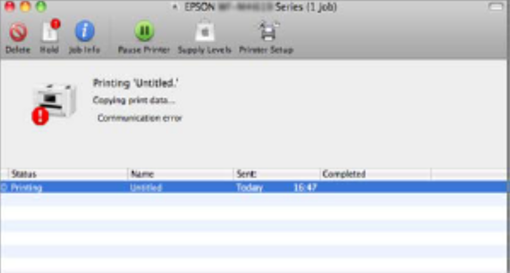
If you're experiencing issues with IPPS printing on a Mac, especially when using an older version of macOS (prior to 10.9.x), the problem may be related to outdated security protocols.
Cause
Older macOS versions may not support the latest TLS (Transport Layer Security) protocols required for secure IPPS printing.
Solution
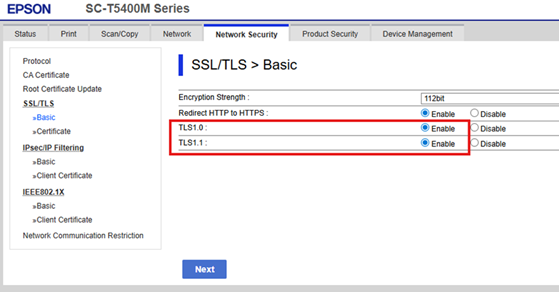
To enable printing on older macOS systems, you’ll need to manually enable TLS 1.0 and 1.1 in the printer’s Web Config settings.
Steps to Enable TLS 1.0/1.1:
- Open a web browser and access the printer’s Web Config interface.
- Log in as an administrator.
- Navigate to the Network Security tab.
- In the left-hand menu, select SSL/TLS > Basic.
-
Enable TLS 1.0 and TLS 1.1.