How to use Epson.sn
Possible Causes
- Unable to find product drivers
- Unable to find the products user guide
- Looking for product support
Step-by-Step Instructions
-
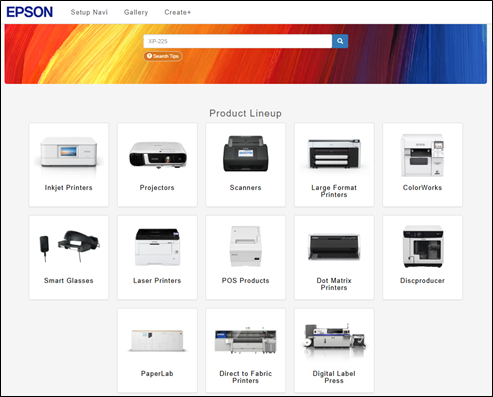
Using your web browser navigate to: Epson.sn
-
Using the search bar, search for the products name, if this example we will use the Epson EcoTank ET-4950U

-
From the product support page, you can get support for product setup, general support or view some printing templates from the gallery section.

-
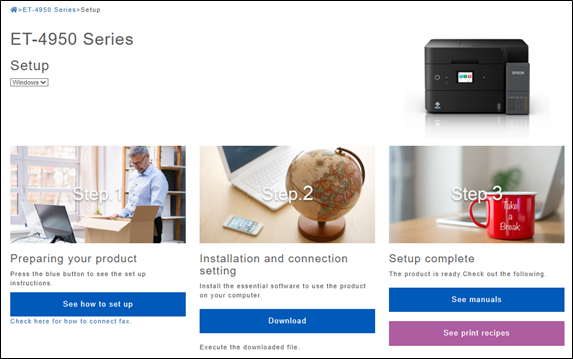
The setup section provides support on installing the product, if the information is needed for a different operating system this can be selected using the dropdown highlighted below.
-
The support section provides information in video or text format, choose the required category to see more information.

-
Clicking on the User’s Guide (HTML) will show you a searchable online user guide.

Related Articles
Still Need Help?
If you encounter issues:
- Contact Epson support
- Use our live chat for real-time assistance.
