AM-C4000/5000/6000 | What to Do If Your Product Arrives Damaged
The commercial warranty does not cover shipping damage. Epson recommends that you always check upon receipt that the packaging is perfectly intact and that the Tiltwatch label shows green.
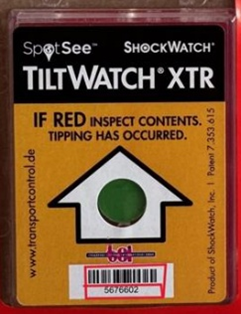
OK
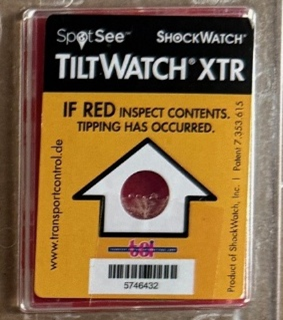
Not OK
If you find signs of damage to the packaging and/or the packaging is not in the up-right position and/or the Tiltwatch label shows red, it is a good idea to accept the delivery with reservation by writing Damaged Package on the document and contact your supplier immediately.
In the event that after unpacking the product there are obvious signs of shipping damage (broken parts, misaligned plastic shells, drawers that do not slide, doors that do not open properly) Epson recommends that you do not proceed with loading the inks but contact Epson Support immediately to report the problem, specifying that it arose during installation.
An 'inspection by a technician will follow to ascertain the condition of the packaging, the extent of the damage, and the repairability of the product.
If you are a Registered Epson Service Dealer, you are urged to carry out the inspection of the product and report back to Service Epson with photographs or video footage where in addition to the product, the condition of the packaging is also seen.
