ReadyPrint | Adding a serial number for an EcoTank product
When subscribing to a ReadyPrint EcoTank plan, you may be required to enter the serial number for the product yourself. This can be performed by doing the following:
- Log in to the Epson ReadyPrint portal.
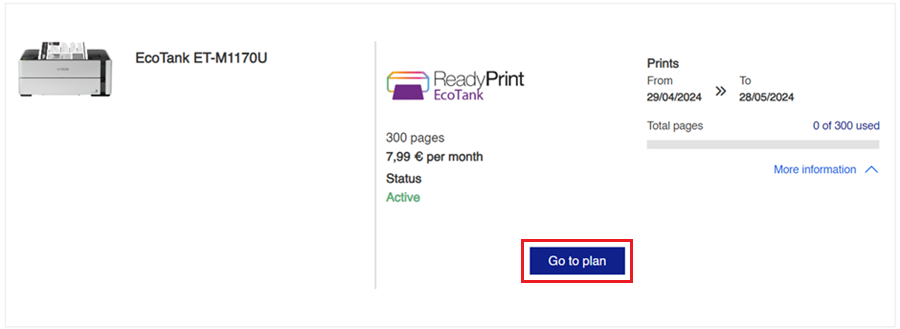
- On the home screen, click the Go to plan button.
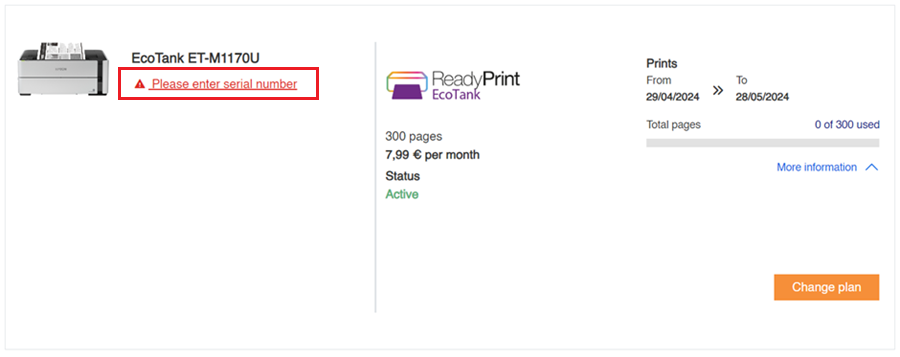
- Click the Please enter serial number link under the product model to proceed.
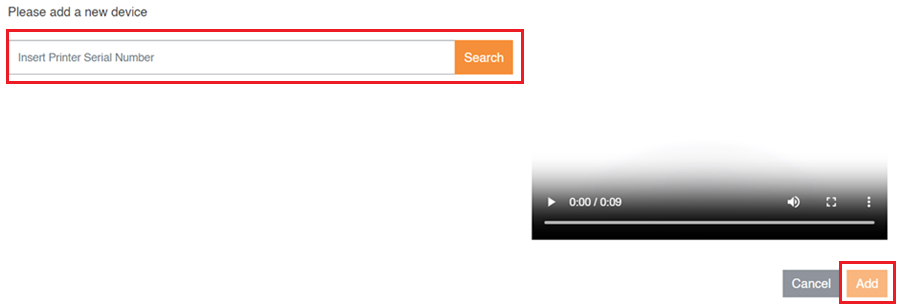
- Enter your serial number and click the Search button. Check the result matches your serial number and click the Add button to complete the process.