How can I get Document Capture Pro Server (DCPS) to work in a VMware environment?
- WorkForce DS-5500N, DS-6500N, DS-7500N, DS-50000N, DS-60000N, DS-70000N
- Windows Server 2003, Server 2003 R2, Server 2008, Server 2008 R2
To use Document Capture Pro Server (DCPS) in a VMware environment you must set your VMware Network adapter to use DCPS. To do that, follow the instructions below:
- Power on your Virtual Windows Server.
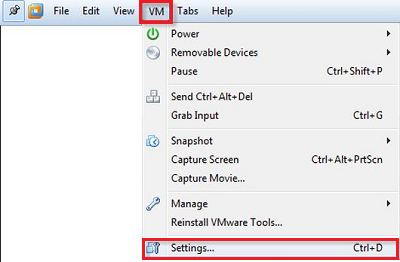
- From VMware click VM and then click Settings.
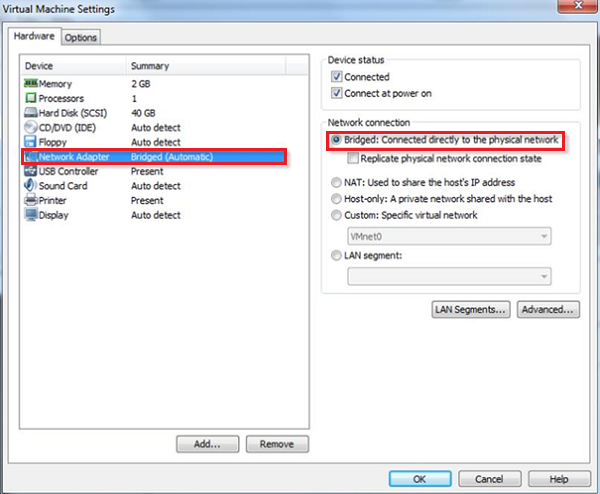
- In the Hardware tab select Network Adapter.
- Tick Bridged: Connected directly to the physical network then click OK.