How to sync documents with Epson iPrint
Epson iPrint enables users to print documents that have been synced with iTunes. To print documents in iPrint follow the steps below:
- Open iTunes on your computer.
- Connect your iOS device to your computer using the data cable.
-
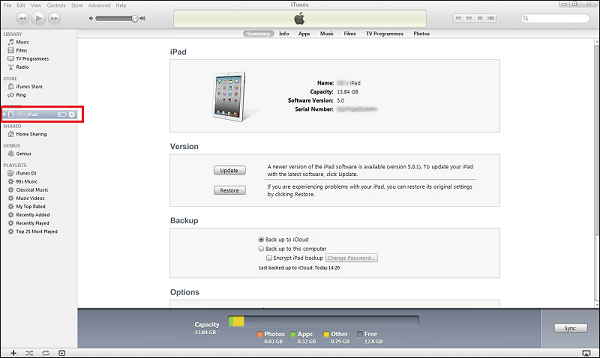
Under Devices in the toolbar on the left, highlight your device.
-
Click Apps on the toolbar across the top of the screen.

-
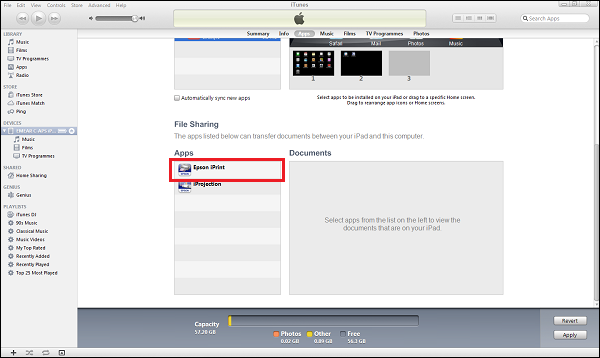
Scroll down the page until you see File Sharing. Now select Epson iPrint from the list of Apps.
-
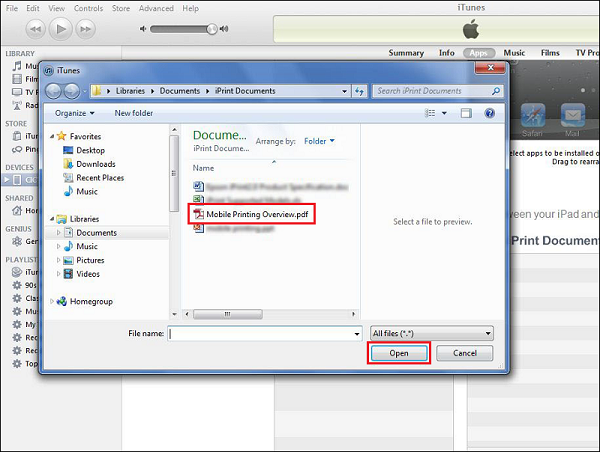
Click Add and browse to the document location. Select your document(s) and click Open.
-
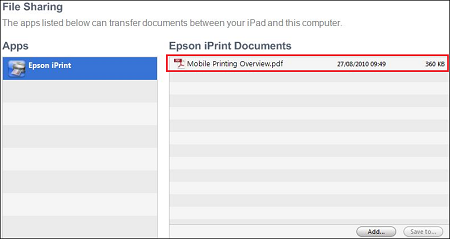
A list of available documents in iPrint is shown.
-
Open iPrint as normal and tap Saved Documents to view your available documents.

