Epson ScanSmart | Scanning and Saving
Applies To
- Operating Systems: Windows, macOS
- Hardware: Epson scanners and All-in-One products supplied with, or compatible with, Epson ScanSmart
- Software: Epson ScanSmart
-
Related Articles:
- KA-02085 - Epson ScanSmart: Changing Settings
- KA-02086 - Troubleshooting Epson ScanSmart
- KA-01830 - What Are the Features of Epson Scan 2? — opens automatically when you scan a photo in Photo Mode
Description
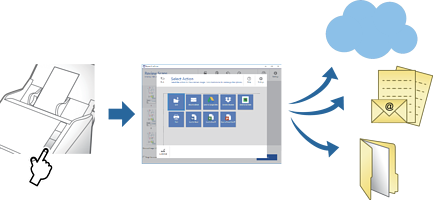
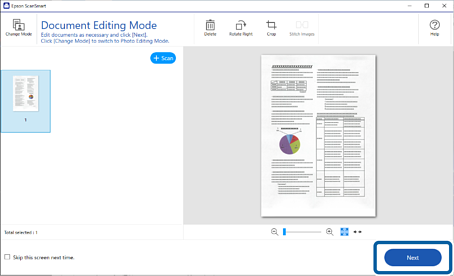
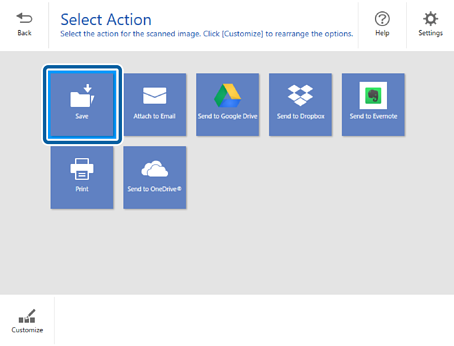
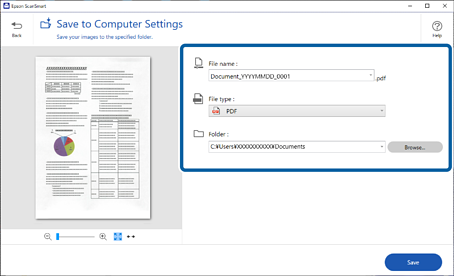
Epson ScanSmart lets you scan and save documents or photos in a few simple steps, without needing to configure detailed scanner settings first. You can also edit photos with a range of colour settings, send scans straight to a cloud service, and have documents named automatically based on their scanned content (on supported models). This article covers the four main things you can do with it: scan and save a document, scan and save a photo, send a scan to a cloud service, and stitch multiple photos into one image.
Symptoms
Not applicable. This is a usage guide, not a troubleshooting guide for a specific fault. If pressing the scanner's button doesn't open Epson ScanSmart, or you're having a different problem, see Troubleshooting Epson ScanSmart.
Solution
Click on a task below to expand it and view the instructions.
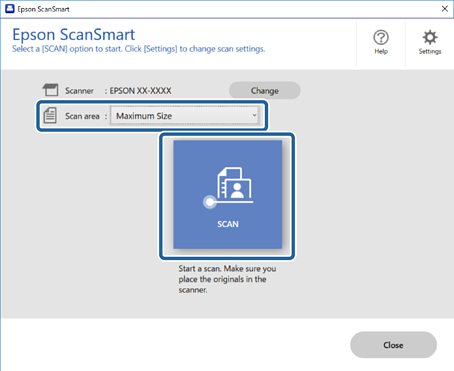
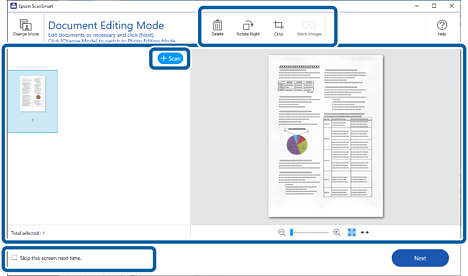
Scanning and Saving Documents
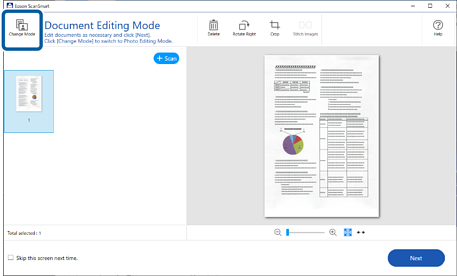
Scanning and Saving Photos


Sending to a Cloud Service


Stitching Photos

Improving Text Recognition (OCR) Accuracy
